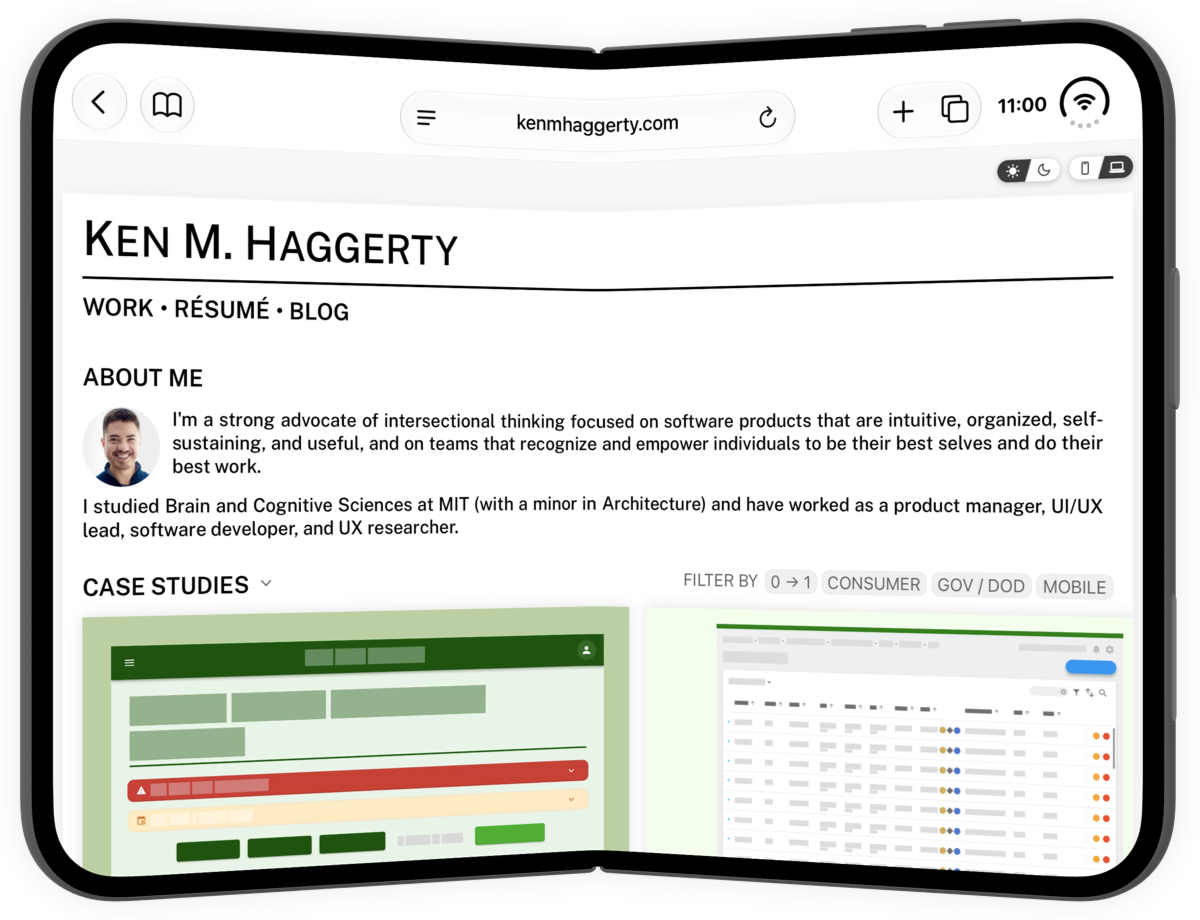
Until recently, I had primarily used AI for debugging and research, but I had never had it write code for me. When I finally decided it was time to rebuild my personal website, I took it as an opportunity to try out AI-driven coding and came away from my experience extremely impressed.
Unfortunately, it can be hard to talk about AI with others as public opinion towards it seems extremely polarized and politicized—people either seem to be AI devotees, unable to acknowledge any of its faults or harms, or AI skeptics, reflexively unable to consider that this new technology might actually have value.
As such, I wanted to write a blog post to share my own experience using AI to show its practical applications without over-hyping it or getting sidetracked. While discussions around the social impact and safety concerns of AI are valuable and important, I hope this particular blog post can be focused on sharing helpful insights for those looking for where to start and how to get the best out of technology’s newest tool.
How I Rebuilt My Website
“Design-coding” before “Vibe-coding”
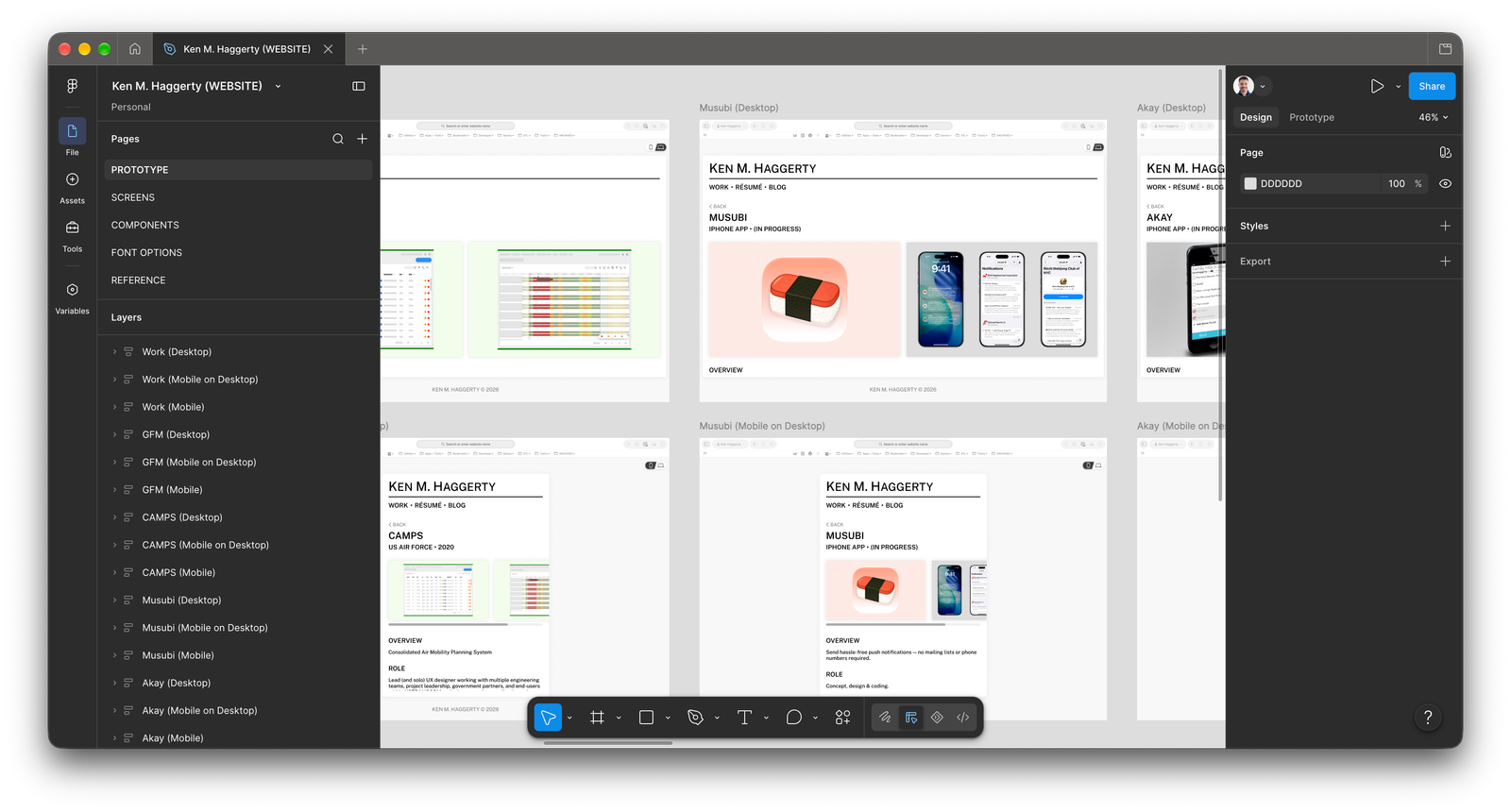
Since this was going to be my first time using AI to build a website, I was more interested in seeing how good it was at coding than at designing. Additionally, as someone with a UI/UX background and existing ideas for how I wanted my website to look and operate, I didn’t want the AI to come up with a website that wasn’t “me” or looked out of place next to my résumé. As a result, I decided to take the time to fully mock up my new personal website in Figma, including not only actual images and text but also transitions between pages and layouts.
Once I had built my fully clickable and interactive prototype in Figma, I asked Claude how best to work with it to build my website. I was unsure if there were any extra steps required like installing a third-party Figma plugin, breaking my design into smaller pieces, or writing up an explanation of how I wanted each part to work. Amazingly, all Claude needed was my Dev Mode link, though I did need to set up a blank repository (i.e., folder on my computer) where it could save its work. Additionally, I established with Claude what language and frameworks I wanted to use (TypeScript, React, Material UI), and in response it recommended also using Astro to build out my site.
While I fully designed my website only because this was my first time using AI, I think it is still an approach I would recommend moving forward. Not every little feature has to be included in your mockup, but by creating something tangible the AI can use, you’re better able to figure out your own needs before tasking the AI to build out your site. As an analogy, think of it like building a house—even if the AI can come up with something on its own, it’s probably easier to figure out how many bedrooms you want and where they should go first rather than to keep rolling the dice and hoping it eventually guesses what you want.
Choose The Right Model
Another reason why I advocate “design-coding” before “vibe-coding” is because not all models are alike. The newest models will almost certainly be the most capable, but they are also likely to be the most costly. (Most AI providers use a “token” system for measuring AI usage.)
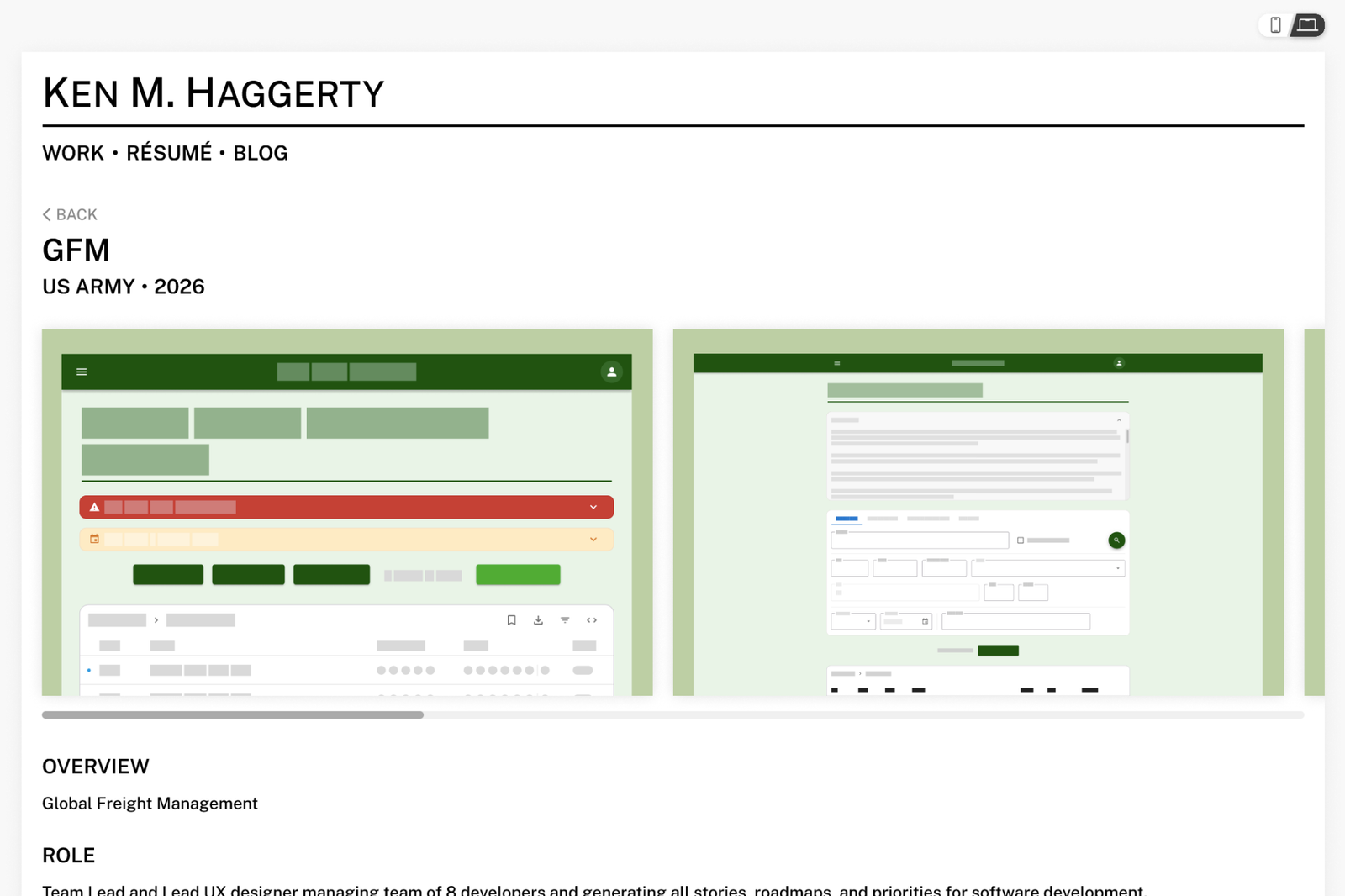
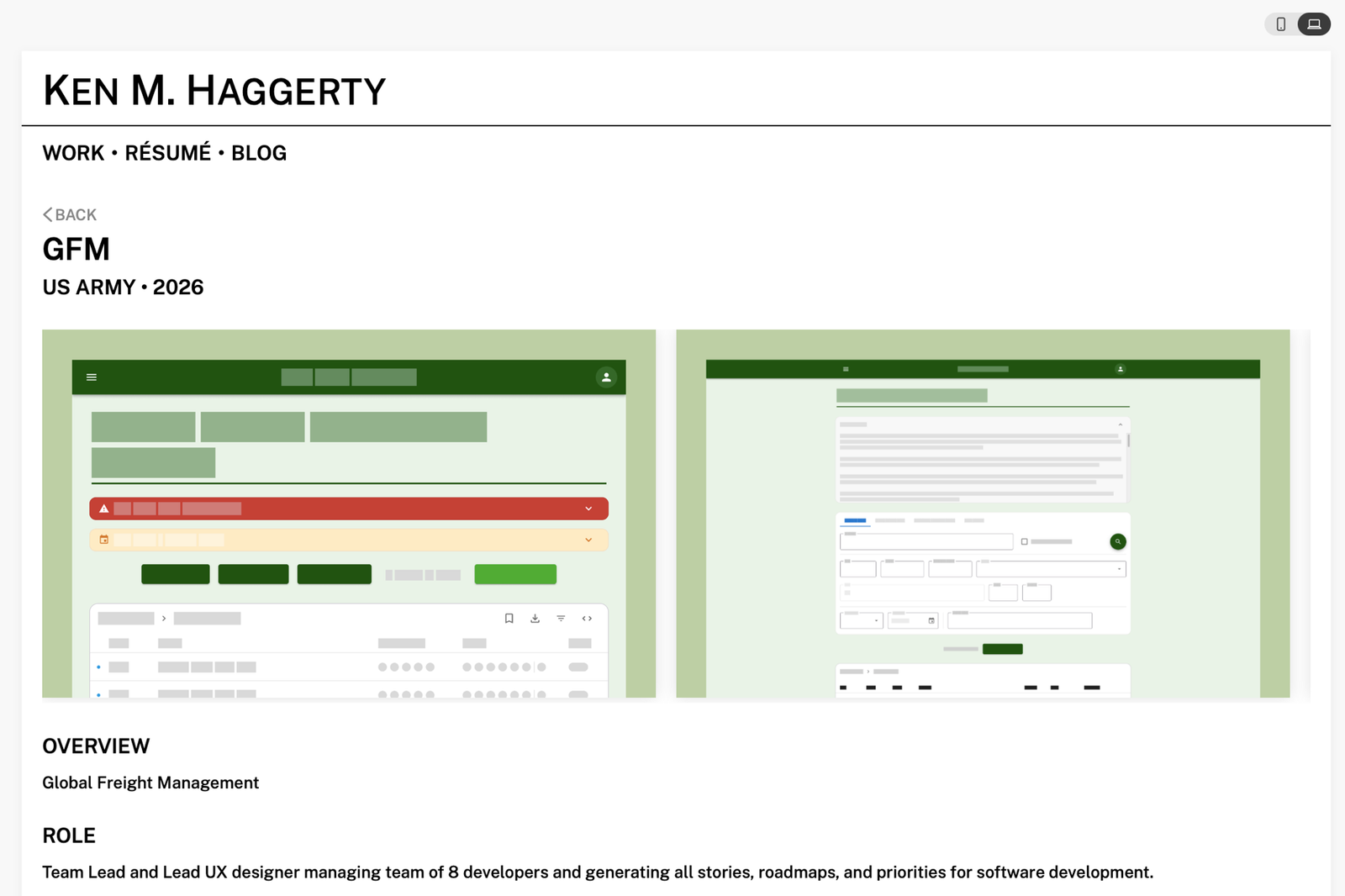
When I finally decided it was time to turn my Figma design into website code, I initially used Claude’s mid-tier Sonnet 5 model and got a result that was… not great. The design itself was messy and didn’t match my mockup, and the code was also less elegant and would require a decent amount of rework:
 Figma
Figma
 Sonnet 5
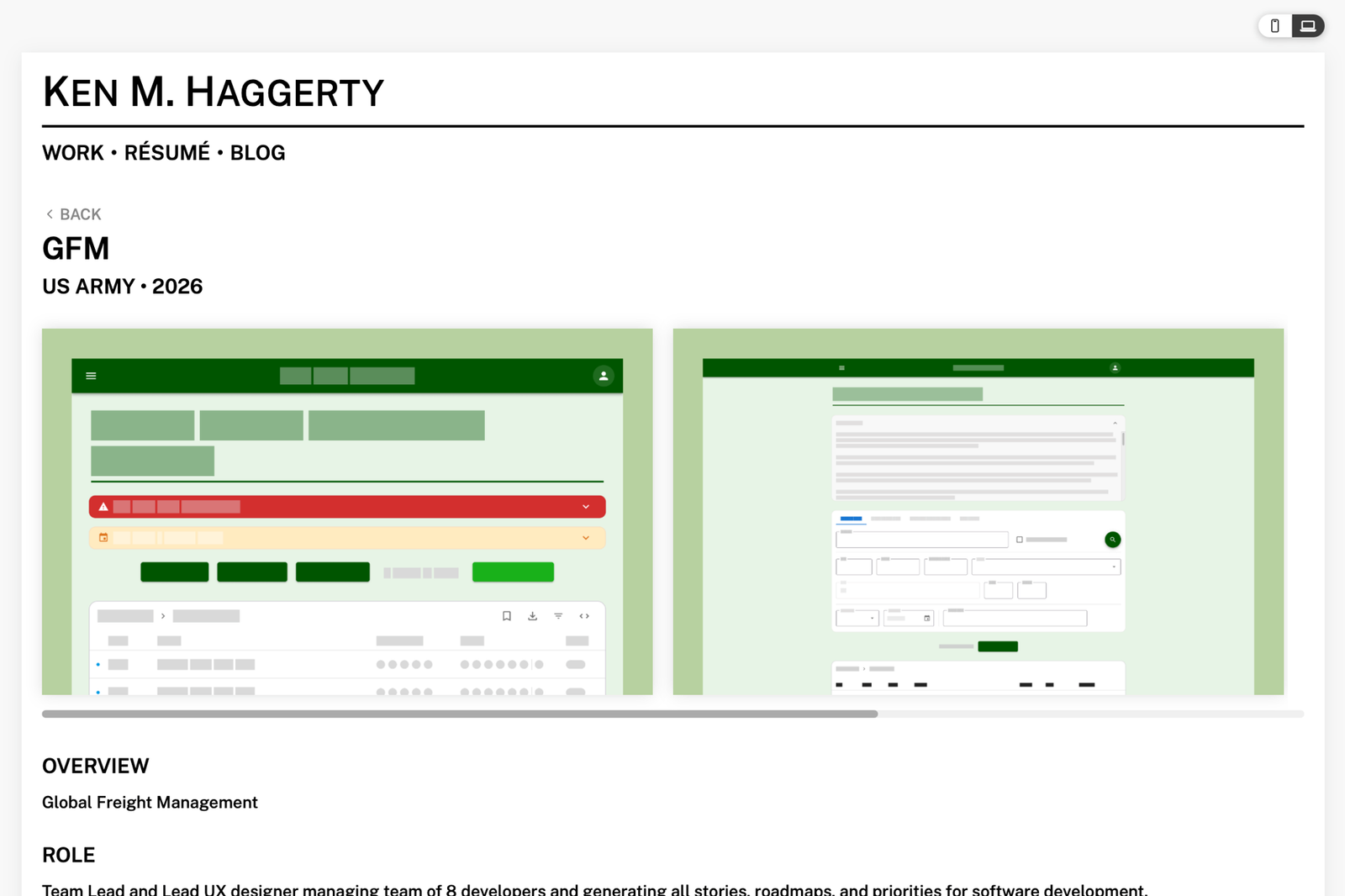
In contrast, I then tried using Claude’s most advanced model Fable and, within 20 minutes, achieved a really impressive result with cleaner code and an end-result that better matched my mockup:
Figma
 Fable
Fable
For everyday tasks like asking questions, debugging code, proofreading, or generating stock images, the cheapest and most basic models will probably get the job done. It is my belief that it is both financially and computationally wasteful to use the most advanced models to do things a simpler model could accomplish. However, for anything more challenging or significant, the difference is real, so be sure to use the right model and don’t be afraid to switch as appropriate.
The Benefits of Still Being Technical
AI tools have empowered those without technical knowledge to build real sites and applications previously limited to those with coding knowledge and experience. Nevertheless, I still think there is a real advantage to having some technical knowledge, especially when it comes to getting the best results out of your AI and not having to always rely on the AI to fix things.
For my website, I knew what language I wanted the AI to use (TypeScript) because I wanted to be able to understand the code it generated and be able to make changes myself. Additionally, I decided ahead of time to structure each of my case studies as JSON files with consistent keys both for my own ease of updating and so the AI could write code that could easily ingest these files and use the same presentation logic for each case study page. Finally, I wanted my text content to support inline HTML in various places, so I made sure to name my keys accordingly (e.g., html_content) and save my paragraph text as strings with HTML rather than trying to have the AI suggest or intuit these things by itself.
Having a technical understanding was also important not only for being able to fix the small things that the AI missed but also for remembering to do certain things altogether as it relates to web development. Rather than having to use my token quota towards fixing sizing and alignment issues, I could just go into my project’s CSS and adjust things immediately. I also knew based on previous experience that ensuring all of my components had proper unit tests code coverage would prevent breakage and errors and allow me to build new functionality without worrying about introducing regressions. I also knew based on previous knowledge that I could use a tool like Lighthouse to flag any accessibility issues so that the I could resolve them on my behalf. I also made sure I had standard web practices implemented like redirections for certain URLs, optimized resource loading, skeletons and activity indicators for loading states, and a 404 page for any nonfunctional URLs.
None of these things are of course “essential” for a working website, but they are the difference between a “good” amateur site and a “great” professional product. It will be interesting to see if the software development industry can figure out a way we can teach and communicate these important technical skills to junior developers even if the actual coding is now being done by AI, because without it, it will be hard to maintain the talent pipeline necessary to keep building these products.
Move Fast and (Don’t) Break Things
In addition to code coverage via unit tests, I am a huge advocate of using version control and committing often when building your website, even with AI. I like using a line-by-line commit review tool like Sourcetree so that each commit only contains code relevant to the specific change at hand. (Reviewing your code line-by-line also serves as an opportunity to understand and proofread the changes the AI made.) I have found the “plan” mode built into many AI coding tools necessary only when the AI starts to perform actions or make changes outside of your repo (like running commands in your terminal); but if the AI writes some code I don’t like, proper version control allows me to throw away those changes with ease without losing good work or ending up in an incomplete or broken state.
What AI Ultimately Built For Me
Along with the overall website based on my Figma design, I was able to have Claude add the following functionality without having to generate additional mockups:
- A changelog that reads from a Markdown file in my repository and displays its content in a scrollable table inside a modal.
- A “lightbox” UI for displaying images in full resolution on top of existing content.
- Pre-commit hooks for linting and formatting.
- Colors and CSS for a complementary “dark mode” theme.
- Browser-level detection of “light” versus “dark” mode in order to automatically change my website’s theming to match.
- A footer with external social media links using Simple Icons.
- Metadata for SEO and Google indexing in search results.
In addition, I had Claude build the case studies selector dropdown on my main page, but since I had a specific vision in mind for how I wanted that to look, I mocked that out in Figma before asking the AI to build it for me.
How To Use AI
In early drafts of this blog post, I provided a deep-dive into the current state of AI tools in addition to a brief overview of the history of AI and how we got here. However, that ended up being 700 words, and in the spirit of “getting to the point,” I’ve decided to get right to my recommendations on how to best use AI. (Maybe those thoughts can be the subject of a future blog post.)
No matter which AI tool you end up using, I have found that there are some important things to keep in mind when working with AI:
How To Get Better Answers
- Ask a single question — While it might be tempting or natural to ask a bunch of things at once, keeping your queries focused helps you to make sure that AI is in fact responding to the question you think it is, and it also makes it easier to go back and find AI’s responses to each of your questions later.
- Use complete sentences — It doesn’t help that many modern search engines have added an “AI results” box to their search results page because, on a fundamental level, traditional web searches and AI searches work differently. Historically, when searching the web, you would type a bunch of keywords like “employee cafe Google locally sourced ingredients” in order to get a list of relevant web pages that might contain what you were looking for. In contrast, modern AI searches work best with complete sentences like, “What was the name of the employee cafe at Google that used locally sourced ingredients?” Writing out full sentences provides the clarity and context required for the AI to return exactly what it is you’re looking for without having to guess how your keywords fit together. (The answer? Cafe 150.)
- Provide as much key information as possible in your initial query — The AI, despite its intelligence, can’t read your mind, and it will generate better responses if you provide relevant details up front rather than going back and forth or assuming that it will know to ask. In most situations, you will probably end up with what you are looking for eventually, but its first guess may be incorrect if based on limited information. If you’re worried about saying something wrong, the good news is that the AI is pretty good at recognizing when something you provided might be incorrect or mistaken. Erring on the side of providing too much detail is usually better than not providing enough.
- Allow the AI the opportunity to ask for clarification — Likewise, I usually like to end my queries by explicitly instructing the AI to respond with follow-ups as needed, since AI sometimes prioritizes “getting you an answer” over “getting it right,” especially if it assumes that everything relevant was provided as part of your initial request.
- Follow up with questions and clarifications — When asking a question, the AI will try to follow Gricean maxims of quantity, quality, relation, and manner. As such, it will generally try to return a response that is focused, relevant, and professional. If there’s something in its response that you don’t understand, just ask! Or if you suspect that it has more to say on the topic, follow up with a request for more.
- Always check your sources! — While the answers AIs give can sound right, always double-check that they are actually correct. There are many reasons an AI might get something factual wrong, especially for topics or events after its “knowledge cutoff.” For something casual, it’s probably not the biggest deal (so long as you remember where you got your information from), but for something important, always check the “sources” link usually found at the end of each AI response. (If that “sources” link is missing, be sure to follow up and ask the AI for an article or source for any factual claims it makes.)
Improving Your Own Experience
In addition to the tips above, I also try improve my experience using AI by doing the following:
- Organize your conversations into threads — While modern AI apps support “cross-conversational” awareness and memory, I still find it helpful to keep each conversation “on topic,” mostly for when I need to go back and look up something I asked about before. There’s also (currently) no charge or penalty for having many threads, and organizing your discussions into threads makes it easier to clean them up later without losing important information or responses.
- Do not include sensitive information in your queries — Although the risk is low and “incognito” modes exist, I still would not put anything I didn’t want others to know (like my social security number) into any AI tool. AI companies typically reserve the right to use your conversations and queries to train future AI models, so there’s no guarantee that what you type today doesn’t somehow end up in someone else’s response tomorrow. The only guaranteed way to prevent this is to disable data collection in your AI application altogether, but that only affects changes moving forward; i.e., any information previously entered may have already been used to train future models. Additionally, if you are worried about “spillage”—i.e., information from one conversation appearing in another—you can further protect yourself by turning off cross-conversational awareness and memory so that each new thread remains independent and can’t access information from other conversations. You can also protect yourself by deleting conversation threads containing information you want the AI not to use moving forward. Even with all this, I think it is still important to be cautious. As the saying goes, “better safe than sorry.”
- Don’t outsource your brain! — Whenever I introduce AI to others, I always emphasize that you are ultimately responsible for accepting or rejecting whatever it generates. Saying, “The AI told me to do it!” is not an excuse. The decision is yours whether to follow its recommendations or use its outputs. Newer models may be better and more reliable than ever, but it is still up to you to spot their mistakes and decide what you do or don’t agree with. The best way to do that is to make sure you always understand what is being provided.
Where AI Still Falls Short
For all of its impressive results, there are still areas where AI falls short, and rebuilding my website helped show me exactly where human intervention is still required.
As described above, my first attempt at translating my Figma design to website code produced poor results. Claude’s Sonnet 5 model misread parts of my design entirely. As a result, it was on me to retry using a different model, as Sonnet 5 thought it had done a good enough job. As far as I am aware, I don’t think any AI will ask you in its response to switch to a different model before completing your task, as it is assumed that the model you selected is the model you want it to use. However, some AI tools like ChatGPT now include an “auto” mode that will automatically select what it thinks is the best model for each given query.
Model selection notwithstanding, even Claude’s most advanced Fable model still fell short sometimes. For example, Fable initially omitted the desktop-versus-mobile toggle I had designed, assuming it was a control within Figma rather than part of my actual website. It was on me to notice this, explain to the AI what this was supposed to be, and ask the AI to implement it correctly.
There are also certain things that AI won’t be able to do because they are, in fact, hard problems with no good solution. However, the AI doesn’t always know or realize that and may keep trying in vain to get it done (and use up all of your tokens in the process). In my case, I tried using Fable to fix an issue where my background scrim wouldn’t fade out evenly on iOS. Eventually, I ran out of usage credits and had to make the executive decision that what I already had was “good enough.” AI tools will rarely tell you “I don’t know” unless they affirmatively know that an answer does not exist, and as a result they will often keep trying for as long as you let them. Deciding when to stop and move on is ultimately your decision.
Finally, as I also described above, it can still be easier to do some work for AI than to have AI do all of your work for you. When it came to implementing a selector dropdown to provide an alternate UI for accessing my case studies, it ended up being easier for me to mock it up in Figma than to try to explain how I wanted it to look and work.
What’s Next?
As I mentioned in my opening paragraph, people’s opinions on AI seem very on the extreme, but I hope that by sharing my experience using AI to rebuild my website, both sides can see its practical applications without overselling it.
Now that I’ve had success building my personal website using AI, I’m eager to see how well it might do translating a Figma prototype for an iOS app into real SwiftUI in Xcode.
I’m also eager to configure my GitHub repository so that changes I make to my website can be previewed in a “staging” environment where I can approve them before pushing to production. This would allow me to make changes to my website using AI straight from my phone. (Right now, I am able to have Claude commit code to my GitHub repository directly, but doing so would make those changes go live immediately.)
And while it’s been great to gain some experience using AI tools, I would still love to better understand how these AI tools fundamentally work. (I did briefly take a course in college on Bayesian inferencing and Markov Chain Monte Carlo methods with Prof. Josh Tenenbaum, but at the time it was a little too advanced for me, and I would love to delve a little deeper into understanding why large language models work beyond the various explainers I’ve read and videos I’ve watched.)